
Quick Tip:
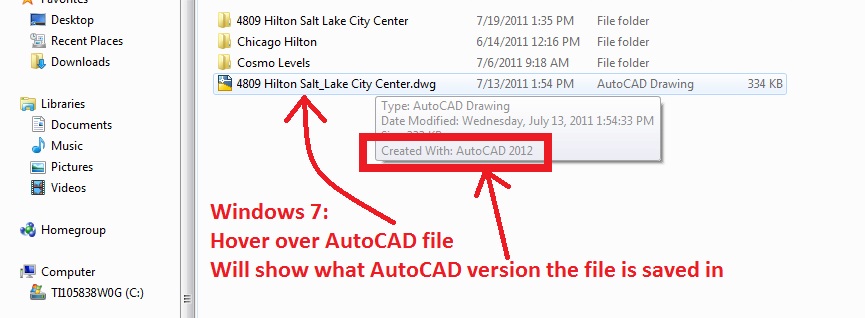
Simply navigate to a folder that has a .dwg file in it (Windows Explorer). Then hover over the file and wait for the tool-tip to appear. It will show you what the last version of AutoCAD was used on that file. This can be helpful to determine if the file can be opened by you if you are using an older version of AutoCAD.
.dwg versions:
- .dwg 2010
- .dwg 2007
- .dwg 2004
- ,dwg 2000
- .dwg R14
~enjoy

 AutoCAD Tips
That doesn’t tell you what version the file is – this does: http://www.freewarefiles.com/AutoCAD-Version-Explorer-V_program_8199.html
The Windows Explorer tip won’t tell you what version the file is – this app will: http://www.jmsware.com/info-ave.html (better link)